When shopping for a new laptop, monitor, or even a smartphone, one of the most important specifications you’ll come across is the display technology. Two of the most common options available today are OLED and IPS displays. Both offer excellent visual quality, but they are designed using different technologies and serve different types of users.
If you’ve been wondering about OLED vs IPS Display, you’re not alone. Many buyers struggle to decide which one is worth the investment. While OLED is known for its stunning colors and true blacks, IPS panels remain popular because of their affordability, color accuracy, and long-term reliability.
In this comprehensive guide, we’ll compare OLED and IPS displays across multiple categories, including picture quality, brightness, gaming, battery life, durability, eye comfort, and pricing. By the end, you’ll know exactly which display technology best fits your needs.
What is an OLED Display?
OLED stands for Organic Light Emitting Diode. Unlike traditional LCD panels, OLED displays do not require a separate backlight. Instead, every individual pixel emits its own light.
Because each pixel can turn completely off, OLED displays produce perfect black levels and an almost infinite contrast ratio. This creates vibrant, lifelike images with exceptional depth and realism.
OLED technology has become increasingly popular in premium laptops, gaming devices, smartphones, and high-end televisions.
Advantages of OLED Displays
Perfect black levels
Infinite contrast ratio
Extremely vibrant colors
Ultra-fast response times
Thin and lightweight panels
Excellent HDR performance
Wide viewing angles
Disadvantages of OLED Displays
Higher purchase cost
Potential risk of burn-in
Lower maximum brightness in some models
Battery consumption may increase when displaying bright content
What is an IPS Display?
IPS stands for In-Plane Switching, a type of LCD technology designed to improve color accuracy and viewing angles compared to older TN panels.
Unlike OLED, IPS displays rely on an LED backlight that shines through liquid crystals to produce images. While IPS panels cannot create true black colors, they deliver consistent color performance and excellent brightness.
IPS remains the most widely used display technology in laptops, office monitors, and professional creative workstations.
Advantages of IPS Displays
Excellent color accuracy
High brightness levels
No burn-in risk
Affordable pricing
Reliable long-term performance
Great for productivity
Consistent image quality
Disadvantages of IPS Displays
Lower contrast ratio
Blacks appear slightly gray
Slower response times than OLED
Backlight bleeding may occur
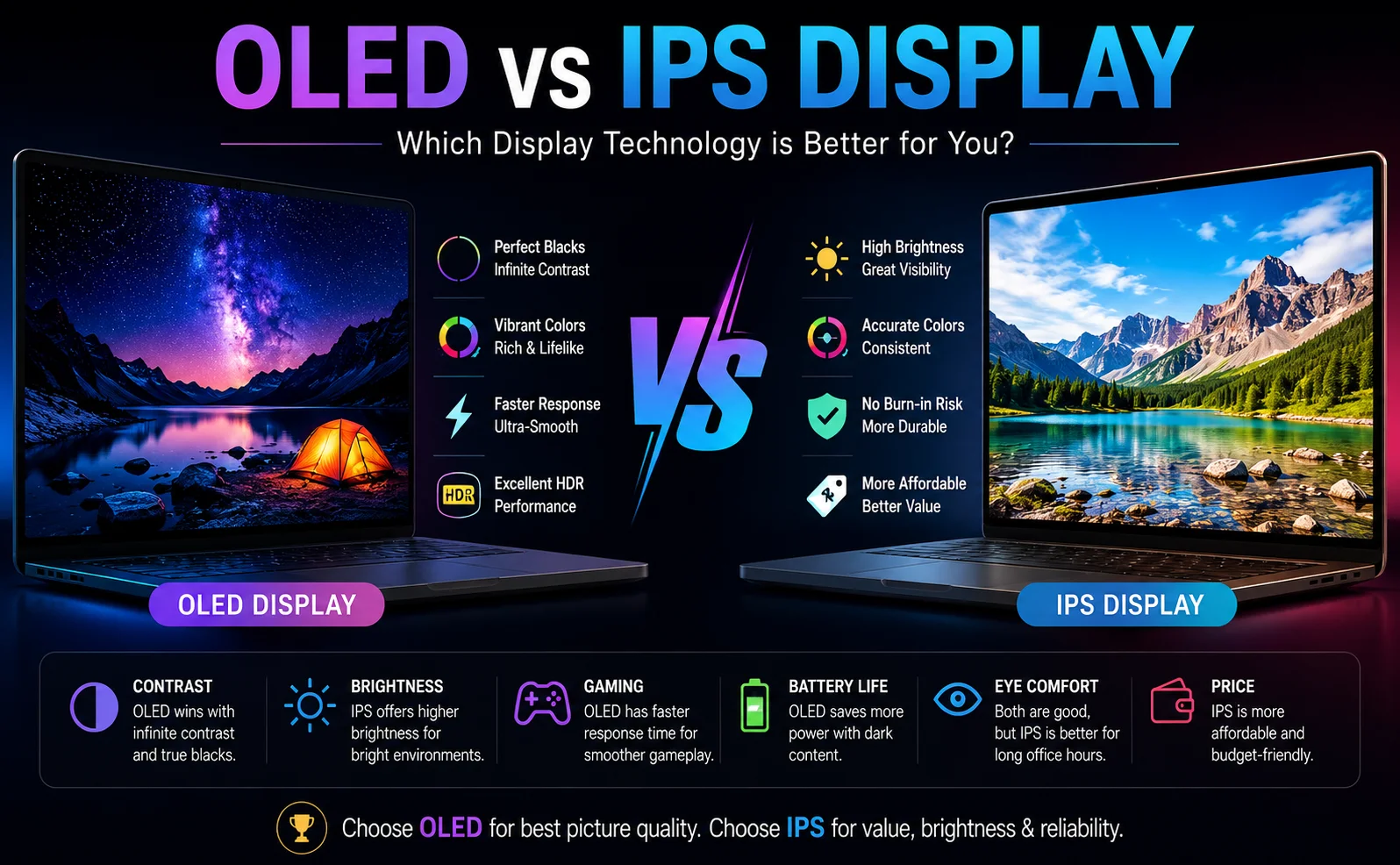
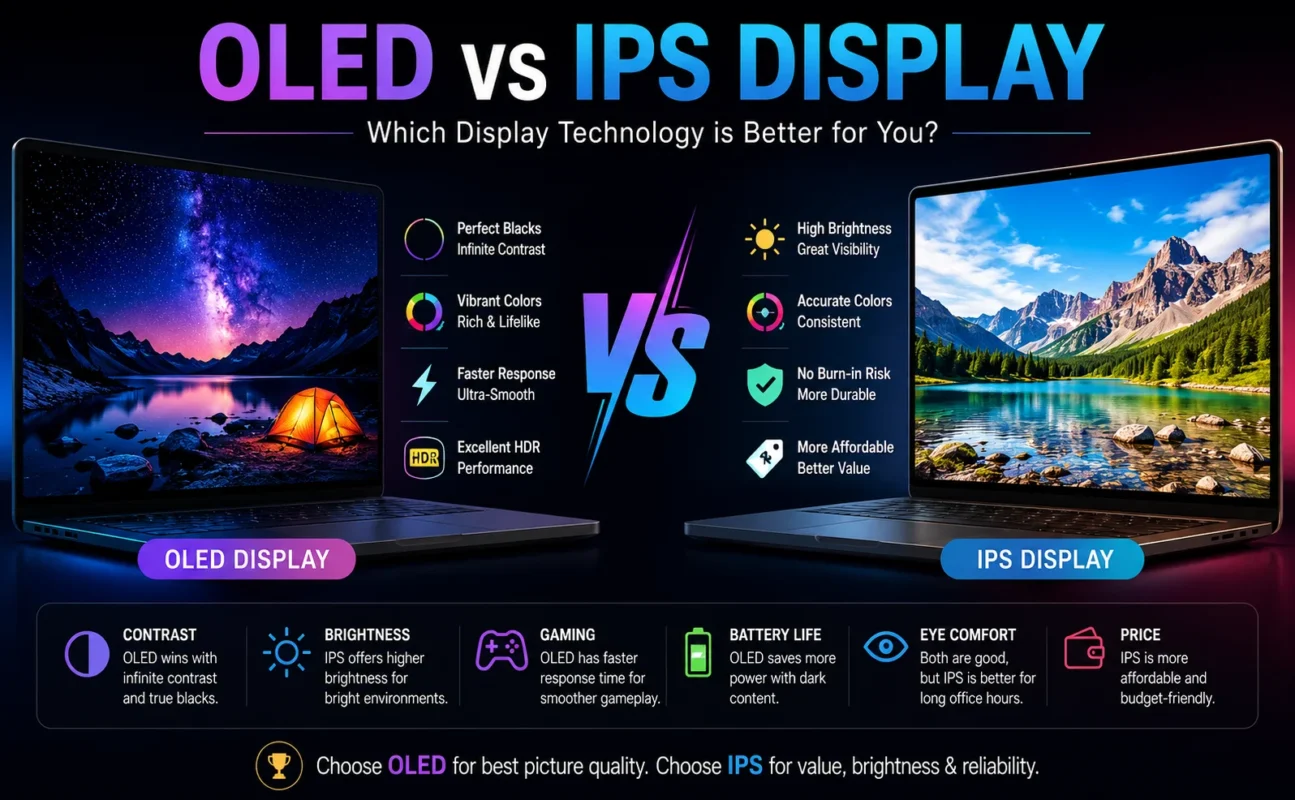
OLED vs IPS Display: Quick Comparison
Feature
OLED
IPS
Black Levels
Perfect
Good
Contrast Ratio
Excellent
Moderate
Color Vibrancy
Outstanding
Very Good
Color Accuracy
Excellent
Excellent
Brightness
High
Higher in many models
Viewing Angles
Excellent
Excellent
Gaming Response Time
Extremely Fast
Good
Refresh Rate
Excellent
Excellent
Battery Efficiency
Better for dark themes
More consistent
Burn-in Risk
Possible
None
Price
Premium
Budget-Friendly
Lifespan
Good
Excellent
OLED vs IPS Display: Detailed Comparison
1. Picture Quality
Picture quality is where OLED truly shines.
Since every pixel generates its own light, OLED displays create deeper blacks and brighter highlights simultaneously. This produces images with remarkable realism and depth.
IPS displays still look fantastic, but because they rely on a backlight, black areas often appear dark gray instead of true black.
Winner: OLED
2. Color Accuracy
Both display technologies offer impressive color reproduction.
Professional IPS monitors are widely trusted by photographers, graphic designers, and video editors because they deliver highly accurate and consistent colors.
Modern OLED panels are equally capable and often cover nearly 100% of the DCI-P3 color gamut, making them excellent for creative professionals as well.
Winner: Tie
3. Contrast Ratio
Contrast determines the difference between bright whites and deep blacks.
OLED panels provide virtually infinite contrast because individual pixels can switch off completely.
IPS panels cannot match this level of performance due to their constant backlight.
Winner: OLED
4. Brightness
Brightness matters when working outdoors or in brightly lit environments.
Many IPS displays achieve higher sustained brightness, making them easier to use under direct lighting.
While premium OLED displays can reach impressive HDR brightness, their sustained full-screen brightness is often lower.
Winner: IPS
5. Gaming Performance
Gamers care about response time, refresh rate, and motion clarity.
OLED displays feature near-instant pixel response times, resulting in smoother gameplay with virtually no ghosting.
IPS gaming monitors also perform very well, especially those offering 165Hz, 240Hz, or even 360Hz refresh rates.
However, OLED remains the superior choice for competitive gaming.
Winner: OLED
6. Battery Life
Battery performance depends on your usage.
OLED displays consume less power when displaying dark content because black pixels are completely turned off.
However, displaying bright webpages or white documents can increase OLED power consumption.
IPS panels use a constant backlight, resulting in more predictable battery performance.
Winner: Depends on usage
7. Eye Comfort
Both display types can include low blue light certification and flicker-free technology.
Many users find IPS displays slightly more comfortable during long office sessions due to their consistent brightness.
OLED displays can use PWM (Pulse Width Modulation) at lower brightness levels on some devices, which may cause eye strain for sensitive users.
Winner: IPS
8. Burn-In Risk
One of the biggest concerns with OLED technology is image retention or burn-in.
Static images such as taskbars, logos, or desktop icons displayed for thousands of hours may leave permanent marks.
Modern OLED devices include technologies that greatly reduce this risk, but it still exists.
IPS displays have no burn-in issues.
Winner: IPS
9. Price
OLED technology remains more expensive due to manufacturing costs.
IPS displays offer outstanding value and are available across every budget category.
If you’re looking for affordability, IPS is the clear winner.
Winner: IPS
OLED vs IPS Display for Gaming
If gaming is your primary focus, OLED is generally the better option.
Benefits include:
Instant response time
Incredible HDR visuals
Deeper blacks
Better contrast
Superior motion clarity
More immersive gameplay
IPS gaming monitors remain excellent choices if you’re on a budget or prefer higher brightness.
OLED vs IPS Display for Content Creators
Professional editors often choose between these technologies based on their workflow.
Choose OLED if you:
Edit HDR videos
Watch movies frequently
Need exceptional contrast
Want cinematic visuals
Choose IPS if you:
Edit photos
Perform color-critical work
Need consistent brightness
Work for long hours
OLED vs IPS Display for Office Work
For office users, IPS remains the practical choice.
It offers:
Lower cost
Longer lifespan
Better brightness
No burn-in concerns
Excellent readability
OLED can certainly be used for office tasks, but it is often considered unnecessary unless you also consume multimedia content.
OLED vs IPS Display for Students
Students usually benefit more from IPS displays because they are:
More affordable
Durable
Bright enough for classrooms
Excellent for assignments
Reliable for daily use
Students interested in entertainment, gaming, or creative design may appreciate OLED’s richer visuals.
Buying Guide: Which Display Should You Choose?
Choose OLED if you:
Love watching movies
Play AAA games
Want the best image quality
Need excellent HDR
Enjoy rich colors and deep blacks
Choose IPS if you:
Want the best value
Work long office hours
Edit photos professionally
Prefer higher brightness
Need a display without burn-in concerns
Frequently Asked Questions (FAQs)
Is OLED better than IPS?
For image quality, contrast, and gaming, OLED is generally superior. For affordability, brightness, and long-term reliability, IPS remains an excellent choice.
Which display lasts longer?
IPS displays typically have a longer lifespan because they do not experience burn-in like OLED panels.
Is OLED worth the extra money?
If you prioritize entertainment, gaming, and premium visuals, OLED is worth the investment. Casual users may find IPS provides better value.
Which display is better for programming?
IPS displays are often preferred for programming due to their consistent brightness, lower cost, and absence of burn-in risk during extended use.
Does OLED consume more battery?
It depends on the content displayed. OLED saves power with dark interfaces but may consume more energy when displaying bright content.
Is IPS good for gaming?
Yes. Modern IPS gaming monitors offer high refresh rates, fast response times, and excellent color accuracy, making them suitable for most gamers.
Final Verdict
When comparing OLED vs IPS Display, there is no universal winner—it depends on how you use your device.
If you want breathtaking visuals, true blacks, superior contrast, and the best gaming or entertainment experience, OLED is the clear choice. It delivers a premium viewing experience that is difficult to match.
On the other hand, if you’re looking for a display that is reliable, budget-friendly, bright, and well-suited for everyday productivity or professional work, IPS remains an outstanding option. It offers excellent color accuracy, long-term durability, and great overall value.
Ultimately, the best display is the one that matches your needs and budget. Whether you choose OLED or IPS, understanding their strengths and limitations will help you make a smarter buying decision.
About BSS It Solutions
BSS IT Solutions is a trusted technology provider in Pakistan, offering laptops, gaming laptops, business laptops, printers, monitors, computer accessories, PC components, and IT equipment from trusted brands. We provide quality products at competitive prices for students, professionals, gamers, home users, and businesses. Whether you need technology for work, study, gaming, or office use, BSS IT Solutions delivers reliable products, helpful service, and practical IT solutions across Pakistan.